Check Someone’s Driving Licence
If someone has given you a code and asked you to check their driving licence, this covers how to check someone’s DVLA code correctly, what you actually need, and the one thing that trips up almost everyone doing this for the first time.
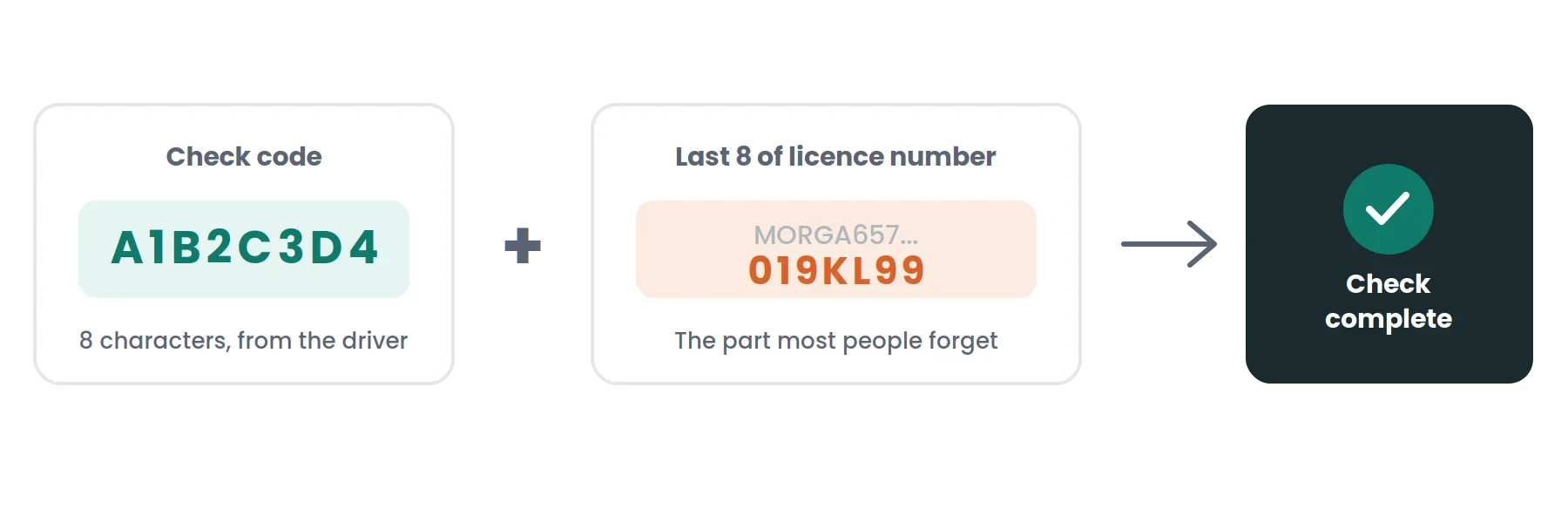
To do this, you need two things from them: their check code and the last 8 characters of their driving licence number. You enter both into DVLA’s checking service on GOV.UK. The result shows their vehicle categories, points, and any disqualifications. It’s free, and it takes about a minute once you have both pieces of information.
What You Need Before You Start
This is the step that catches people out. A code on its own isn’t enough.
The check code
An 8-character code the driver generated themselves through GOV.UK. It only works once and expires after 21 days.
The last 8 characters of their licence number
This is the part most people forget to ask for. Without it, the check won’t go through, even with a perfectly valid code. Ask for both at the same time so you’re not chasing the driver a second time.
How to Check Someone’s Driving Licence
Three pieces of information, all matched against your DVLA record before a code will generate.
Go to the right GOV.UK service
It’s a different page from the one drivers use to generate their own code, so search using the checking service’s own name rather than the one for generating a code, to land on the right one.
Enter the check code
Exactly as the driver sent it. It’s case-sensitive with no spaces, so copy and paste it rather than typing it out by hand.
Enter the last 8 characters
Of their driving licence number with the code.
Submit the check
The result appears straight away.
If it says the code is invalid, the most likely reasons are a typo, a code that’s already expired, or a code that’s already been used once before, since each one only works a single time.
What the Result Actually Shows
You’ll see the vehicle categories the person is entitled to drive, their current penalty points, any endorsements, and whether they’re disqualified. You will not see their address, date of birth, or National Insurance number. The check only reveals what’s relevant to whether they can legally drive.
This confirms driving record, not identity
It doesn’t prove the licence belongs to the person standing in front of you. If that distinction matters for your process, such as onboarding a new driver you’ve never met before, that’s a separate identity check, not something this service covers.
Do You Need Their Permission?
Yes. You can only do this with their consent. Under the Data Protection Act 2018 (Section 170), it’s a criminal offence to knowingly or recklessly obtain someone’s personal data without the consent of the person or organisation controlling that data. In practice this isn’t complicated: if a driver has sent you their code, they’ve already agreed to the check. Just make sure that’s genuinely the case rather than assumed, particularly if a code was passed along by someone other than the driver themselves.
There’s no way to look someone up on DVLA’s system without a code they’ve generated and shared with you. Employers sometimes assume there’s an account-based lookup for this. There isn’t. The “Driver and vehicles account” on GOV.UK belongs to the driver, not to you, and it only lets them generate their own codes faster. It doesn’t give anyone else access to their record.
This is general information, not legal advice. If you need guidance specific to your situation, speak to a qualified professional.
Who Actually Needs to Do This
Employers with staff who drive for work.
Usually at onboarding, then again on a set schedule, often annually, sometimes more often for higher-risk roles like delivery or passenger transport.
Hire companies.
Checking a customer’s record before handing over a vehicle, particularly for higher-value cars and vans.
Insurers
Verifying a driver’s record after a policy change, such as adding someone new to a policy.
Recruitment agencies.
Placing drivers into roles that require a clean or specific licence category.
If you’re a small business and none of this has come up before, it’s common for driver checks to only get formalised after an incident, a claim, or an insurance renewal forces the question. Building a simple process now, who checks, how often, where the result gets recorded, is easier than sorting it out after something’s already gone wrong.
How Often Should You Check Again?
There’s no single fixed rule for every business. Some organisations carry out driving licence checks at set intervals, but the right frequency depends on the role, the employer’s own policy, insurer requirements, and any licensing rules that apply to that specific job. Since each code only works once, whatever schedule you use will mean asking the driver for a fresh code each time, not reusing the code from their last check.
Record Keeping
Many employers keep a record of when a check was carried out and what it showed, as part of their own compliance practice. Exactly what to record, and for how long, depends on your organisation’s data protection policy and any sector-specific rules that apply to you. This is general information, not legal advice. For guidance on your specific record-keeping obligations, speak to a qualified professional.
Check Someone’s Licence vs Generating Your Own Code
This page is written for the person doing the checking. If you’re the driver and need to generate your own code to send to someone, that’s a different process, covered on our main check code page, where you’ll also find the full steps, what to do if your own code stops working, and how the process differs slightly if you’re applying for a taxi or private hire licence.
Check Code vs Share Code, From the Employer’s Side
If a driver tells you they’ve sent a “share code” rather than a “check code,” it’s worth double-checking which one they mean. A DVLA check code covers driving licence information. A Home Office share code is a completely different system, used to prove right to work or immigration status, and it won’t work in DVLA’s checking service at all. If you’re running both driving licence checks and right-to-work checks on the same person, keep the two processes clearly separate, since mixing them up wastes time on both sides.