DVLA Check Code Not Working
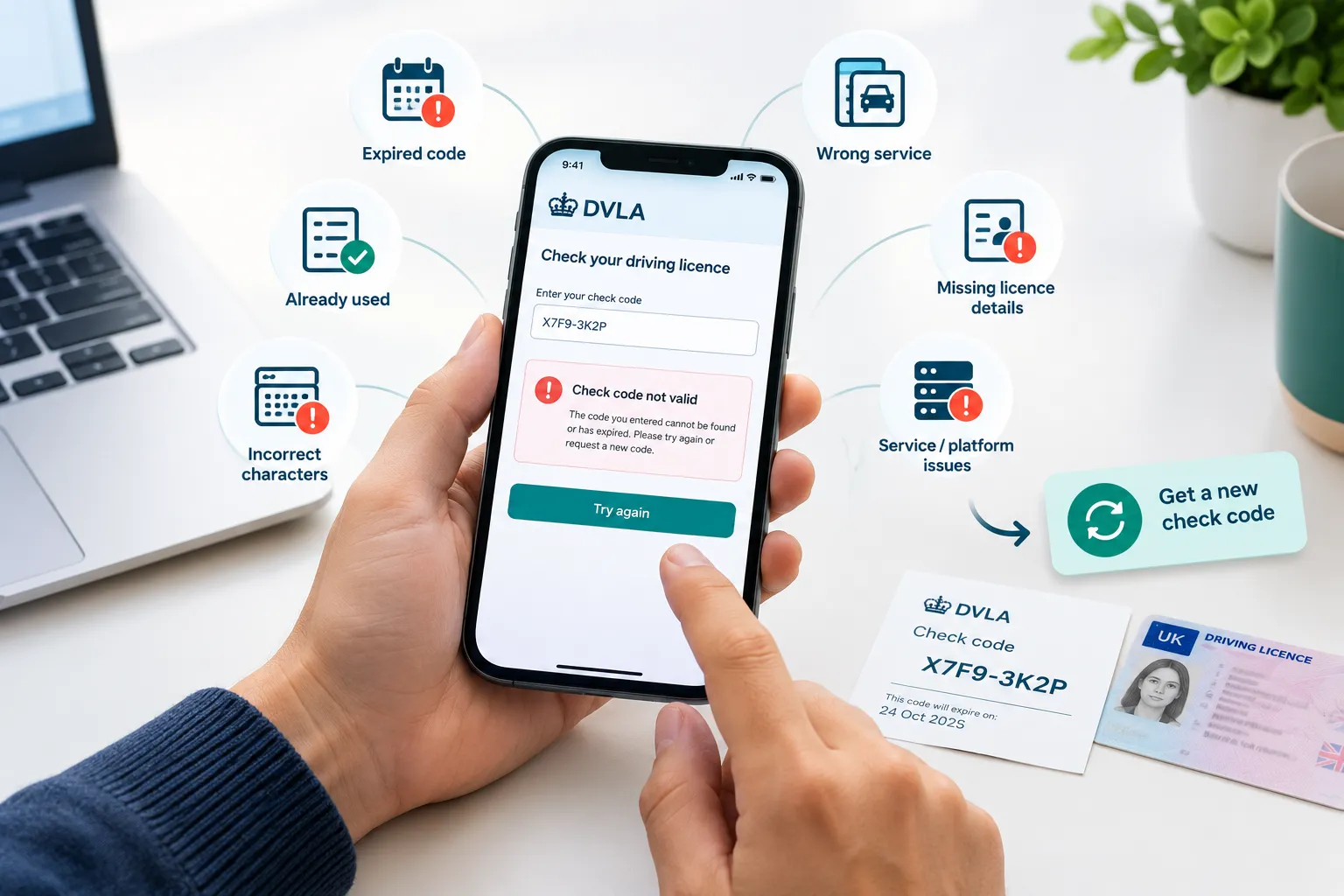
A DVLA check code not working usually means it has expired, has already been used, was entered incorrectly, or is being checked through the wrong service. Here’s what to check and what to do next.
Quick Diagnostic
Find what you’re seeing on the left, and what to do about it on the right.
|
What you’re seeing |
What to check |
|---|---|
|
Code is more than 21 days old |
Generate a new code |
|
Code has already been checked |
Generate a new code |
|
Code is rejected immediately |
Check the characters, capitalisation, and any required details |
|
GB licence can’t be checked |
Confirm it was issued in England, Wales, or Scotland |
|
Licence issued in Northern Ireland |
Use the Northern Ireland DVA service instead |
|
Checker says information is missing |
Provide the code and the last 8 characters of the licence number |
|
New code still fails |
Contact DVLA |
DVLA Check Code Expired
GOV.UK confirms that a check code must be used within 21 days of being generated and can only be used once. The 21-day period starts the moment the code is generated, not when you plan to use it. Once that window closes, the code can no longer be used.
Real situation
Someone applying for a taxi or private hire licence generates their code weeks ahead of the deadline, wanting to be organised. The council takes time to process the application, and by the time anyone enters the code, the 21 days have passed.
The fix
Generate a new code closer to when it will actually be used, rather than well in advance.
DVLA Check Code Already Used
A check code can only be used once. If it’s already been checked by someone, whether that was a hire company, an employer, or anyone else, it will no longer work, regardless of how many days remain in the 21-day period.
The fix
If you need to share your record with more than one person, generate a separate code for each one.
Check the Code and Licence Details
A DVLA check code is case-sensitive. Entering it with the wrong capitalisation, or with any character different from what was generated, will cause the check to fail. This is easy to happen by accident, particularly when typing the code out manually on a phone, where autocorrect or autocapitalise can change a character without it being obvious.
The fix
Copy and paste the code rather than typing it where possible. If it has to be typed, check it carefully against the original before submitting.
Using the Wrong GOV.UK Service
GOV.UK’s service covers driving licences issued in England, Wales, or Scotland. If the licence was issued in Northern Ireland, use the DVA service on nidirect instead. The two services are separate, so a code from one will not work in the other.
If you’re not sure which applies, check where the licence was issued before assuming the code itself is the problem.
DVLA Code vs Other Share Codes
A DVLA driving licence check code is different from a Home Office share code, which is used for services such as right-to-work checks. If an employer has asked you for a “share code”, confirm which service they need before generating or sending a code.
Checking Someone Else’s Code?
If you’re the one checking the code, DVLA’s checking service needs the check code and the last 8 characters of the driver’s licence number together. A valid code entered without that second piece will not complete the check.
The full process for this side is on our Check Someone’s Driving Licence page.
Applying Through a Council, Uber, or a Similar Platform
Taxi and private hire licence applications commonly get held up because of processing time, not the code itself. Councils typically take days or weeks to work through an application, and if a code was submitted when the application was first sent in, it can expire before anyone actually checks it. Some drivers end up sending a code two or three times as an application sits waiting to be processed.
Real situation
Drivers using rideshare or delivery platforms sometimes report a freshly generated code still coming back as expired or invalid. In at least one documented case, the code itself was valid, the platform’s own system simply hadn’t processed it correctly. If a brand new code fails repeatedly on a specific platform but checks out fine on GOV.UK directly, the fault may sit with that platform rather than with DVLA.
The fix
For a council application, generate the code as close as possible to your actual submission date rather than when you first start the paperwork. For a platform that keeps rejecting a valid, in-date code, contact that platform’s own support directly, since it may be an issue on their end.
What to Do If a New Code Still Doesn’t Work
If the code has expired or has already been used, generate a new one. If a new code still doesn’t work, check that you’re using the correct service and entering the required information correctly.
Still stuck? If you’ve checked everything above and still can’t use the service, contact DVLA for help using the online checking service on 0300 083 0013, Monday to Friday 8am to 7pm, Saturday 8am to 2pm.
Is the DVLA Service Down?
If a newly generated code still doesn’t work after you’ve checked the code, licence details, and correct service, the problem may be with the online service rather than the code itself. Check GOV.UK for current service information before continuing to troubleshoot.